Introduction
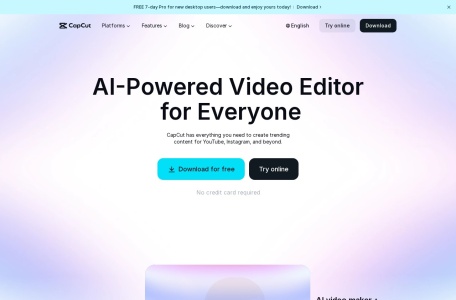
CapCut is an intelligent online video editing platform designed to empower creators of all skill levels. It provides a comprehensive suite of professional-grade editing tools, enhanced by cutting-edge artificial intelligence, to streamline the video production process. Whether you’re crafting content for YouTube, Instagram, TikTok, or other social platforms, CapCut offers a powerful yet accessible solution to bring your creative vision to life efficiently.
Key Features
CapCut’s robust feature set caters to both basic and advanced editing needs. The platform combines intuitive controls with powerful AI-driven automation.
- AI-Powered Tools: Leverage AI for tasks like automatic background removal, noise reduction, and smart video upscaling.
- Rich Media Library: Access a vast collection of royalty-free music, sound effects, stickers, and trendy templates.
- Multi-Track Timeline: Precisely edit videos, audio, text, and images on a flexible, layer-based timeline.
- Professional Effects: Apply filters, transitions, keyframe animations, and color correction tools.
- Cloud Collaboration: Work on projects seamlessly across different devices with team members.
Unique Advantages
What sets CapCut apart in the crowded editing software market is its unique blend of power, simplicity, and innovation.
- User-Friendly Interface: Its clean and logical layout ensures a gentle learning curve for beginners without sacrificing depth for pros.
- Cross-Platform Accessibility: Available as a free online editor, desktop software, and mobile app, offering unparalleled flexibility.
- Cost-Effectiveness: It provides a vast array of premium-quality features completely free of charge, making professional editing accessible to everyone.
- Optimized for Social Media: Features like one-click resizing for different platforms (9:16, 1:1, 16:9) and trending templates save creators significant time.
Who Is It For?
CapCut’s versatility makes it an ideal choice for a wide range of users:
- Social Media Creators & Influencers: Quickly produce engaging, platform-optimized content for YouTube, Instagram Reels, and TikTok.
- Small Businesses & Marketers: Create high-quality promotional videos, ads, and product demos without a large budget.
- Educators & Students: Develop compelling educational materials and presentation videos.
- Hobbyists & Beginners: An excellent starting point for anyone looking to dive into video editing with powerful yet easy-to-use tools.
Frequently Asked Questions (FAQ)
Is CapCut really free?
Yes, the core features of CapCut are completely free. It offers a substantial library of effects, music, and tools without a subscription fee.
Do I need to download software to use CapCut?
No. You can use the fully-featured online version directly in your web browser. Desktop and mobile apps are also available for offline work.
Can I use CapCut for commercial projects?
Yes, you can use videos created with CapCut’s royalty-free assets for commercial purposes. Always check the licensing terms for specific media.
Is it suitable for professional editors?
While it may not replace high-end professional suites for complex film projects, its advanced features like keyframing, curve adjustments, and cloud collaboration make it a powerful tool for many professional content creation workflows.