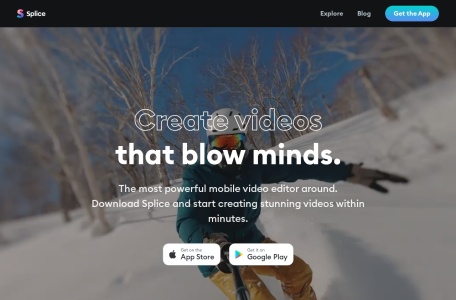
Splice app: The Best Video Editing App

22,135 0 0

Create videos that blow minds in a snap. Splice app makes it easy to create high-quality videos on your phone. Edit like a pro on the go.

Location:
US
Collection time:
2026-03-07
Splice app: The Best Video Editing AppSplice app: The Best Video Editing App

Introducing Splice: Your Gateway to Effortless Video Editing

Splice is a powerful yet intuitive video editing application designed for the modern creator. Available primarily on mobile devices, it empowers users to transform their raw clips into polished, share-worthy videos with just a few taps. Whether you’re capturing life’s moments or creating content for social media, Splice provides a streamlined workflow that makes professional-looking results accessible to everyone.

Core Features

Splice packs a comprehensive suite of editing tools into a user-friendly interface. Key features include:

  • Timeline Editing: Easily trim, split, and rearrange video clips and photos on a straightforward timeline.
  • Music & Sound: Access a vast library of royalty-free music and sound effects, or import your own audio tracks.
  • Text & Titles: Add animated text overlays, titles, and captions with a variety of fonts and styles.
  • Filters & Effects: Apply stunning visual filters, adjust speed for slow-motion or timelapse, and incorporate smooth transitions.
  • Export & Share: Render videos in high quality and share them directly to platforms like Instagram, YouTube, and TikTok.

Why Choose Splice?

Splice stands out in the crowded field of mobile editors by balancing capability with simplicity. Its key advantages are:

  • Professional Results, Simplified Process: Achieve high-quality edits without the steep learning curve of desktop software.
  • All-in-One Platform: From editing and music sourcing to final export, everything is contained within a single app.
  • Cloud Integration: Projects and media are synced, allowing for flexible editing across devices.
  • Regular Updates: The app consistently introduces new features, filters, and content to keep your edits fresh.

Who Is Splice For?

Splice is the ideal tool for a wide range of users:

  • Social Media Enthusiasts: Perfect for creating engaging stories, reels, and posts for Instagram, Facebook, and TikTok.
  • Vloggers & Content Creators: A great on-the-go solution for editing vlogs, tutorials, and promotional content.
  • Families & Travelers: Anyone who wants to quickly compile vacation videos, birthday memories, or family highlights into beautiful movies.
  • Beginner Editors: An excellent starting point for those new to video editing, building confidence and skills.

Frequently Asked Questions

Is Splice free to use?
Splice offers a robust free version with many features. A premium subscription unlocks the full music library and advanced tools.

Is it available for desktop computers?
Splice is primarily a mobile application for iOS and Android. For desktop editing, users typically look to other software solutions.

Can I use my own music in Splice?
Yes, you can import songs from your personal music library directly into your Splice projects.

Are videos edited with Splice watermarked?
Videos exported with the free version may include a watermark. Subscribing to Splice Premium removes this watermark.


data statistics

Relevant Navigation

No comments

none
No comments...